The migration plan says twelve weeks. Week one moves four hundred thousand files without incident and everybody relaxes. Week nine is still going, because somebody noticed that the folder names encoded the campaign, the campaign is not a field in the target system, and eleven months of context evaporated on the way across.
Short answer: a DAM migration is a metadata project with a file copy attached, not the other way round. Most of what makes an asset useful lives outside the file, usually in folder paths, filenames, spreadsheets and people’s heads. Extract that first, map it explicitly, validate the mapping on a sample, and only then move bytes. And leave most of the library behind, because most of it is not worth the cost of bringing.

Where the context actually lives
Before you plan anything, go and look at where meaning is currently stored. In a typical enterprise estate it is in five places, and only one of them is the file.
- Folder paths. Usually the richest source.
/2025/Campaigns/AutumnRange/DE/Approved/carries year, activity, campaign, market and status. That is five fields, encoded positionally, undocumented, and inconsistent after the third reorganisation. - Filenames. Version numbers, crop indicators, photographer initials, client codes. Also positional, also undocumented, also inconsistent.
- Embedded metadata. IPTC and EXIF fields, where they survived. Check with ExifTool rather than assuming. Most production pipelines strip these on export, so coverage is usually far lower than people expect.
- Side files and spreadsheets. The tracking sheet the studio maintains. Nearly always the best source of rights information, and nearly always in a shared drive nobody mentioned in the discovery workshop.
- People. Which is not migratable, which is why the discovery interviews have to happen before anyone’s notice period starts.
Write an extraction plan for each of the first four. The fifth is why you do this now rather than later.
The sequence
Nine steps. Skipping any of the first four is how twelve weeks becomes nine months.
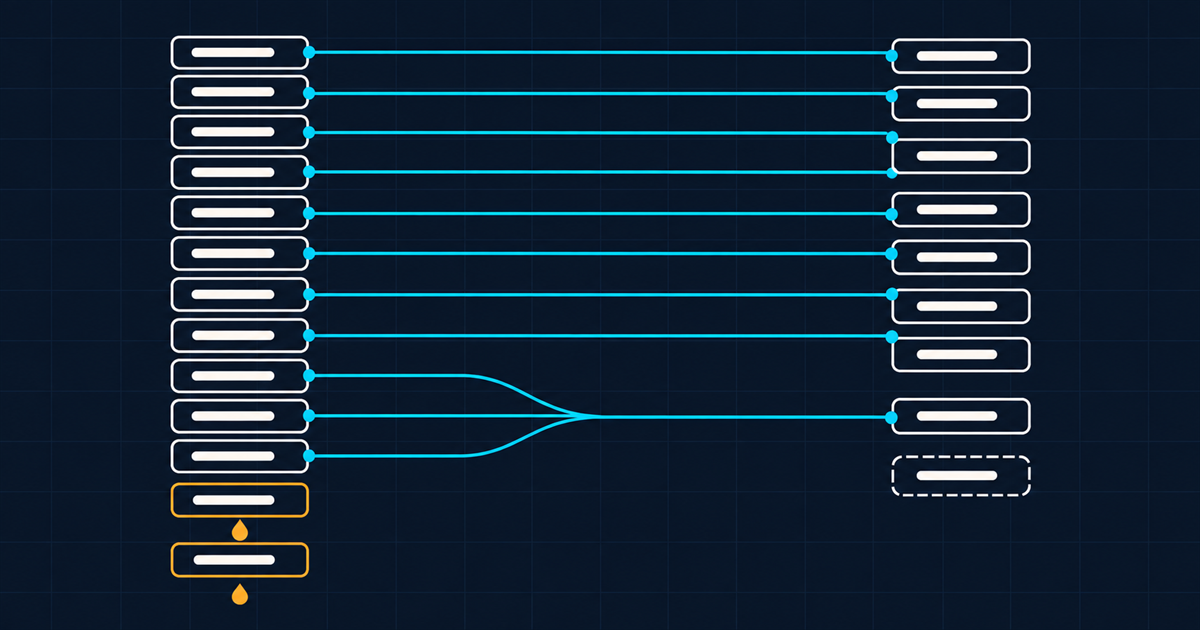
1. Inventory. Count distinct masters, not files. Hash everything and group by hash. The duplicate ratio you find is the first real number in the project and it is usually somewhere between 3:1 and 8:1. It also tells you how much of the migration you can simply not do.
2. Profile. For each source of context, measure coverage. What percentage of assets have a parseable folder pattern, a usable filename convention, embedded metadata, a spreadsheet row. This determines the mapping strategy and it is a day of work.
3. Decide what moves. The single most valuable decision in the project. Criteria that work in practice: accessed in the last two years, or referenced by a live placement, or carrying third-party rights, or part of the current brand system. Everything else stays where it is, in a read-only archive, reachable but not migrated.
Expect this to eliminate somewhere between fifty and eighty percent of the library. That is not data loss, it is declining to pay to move things nobody will ever open. Everyone finds this uncomfortable and everyone who does it is glad afterwards.
4. Map fields explicitly. Source expression to target field, one row per rule, written down and reviewed. Regular expressions over paths and filenames, lookups against spreadsheets, defaults for the rest. This artefact is the migration; the code is just an implementation of it.
5. Dry run on a stratified sample. Two thousand assets chosen to cover every folder pattern you found, not two thousand at random. Random samples miss the weird corners, and the weird corners are the whole problem.
6. Review the sample with the people who own the material. Not with the migration team. The cataloguers and brand managers will spot in ten minutes what an engineer cannot spot at all, because they know what the values are supposed to mean.
7. Migrate in waves, grouped by source pattern rather than by volume. Each wave validates the mapping rules for that pattern before the next one runs.
8. Reconcile every wave. Count in, count out, checksum match, required-field completeness. A wave that does not reconcile does not get signed off, and the next wave does not start.
9. Cut over reads before writes. Point consumers at the new system while the old one is still writable, then close writes on the old system once traffic is stable. Reversing that order is how you end up with two live systems and a merge problem.
What gets silently lost
Five things, and the word to notice is silently. None of these throws an error.
Folder-encoded context, if you copy the tree as a tree instead of parsing it into fields. The most common single failure, and the most expensive, because it is only detected months later when search does not work.
Version relationships. Which file superseded which. Usually encoded in filenames, usually discarded, and once gone it is unrecoverable because the information was never anywhere else.
Usage history. Where an asset was published. Rarely captured anywhere and therefore rarely migrated, which matters the first time you need to recall something.
Rights terms, if they lived in a spreadsheet rather than a field. This one has legal consequences, and it is worth doing manually for the licensed subset even if everything else is automated. The field model to migrate into is in rights and expiry as first-class asset data.
Approval state. Often expressed as a folder called Approved, which is exactly the kind of thing a naive path copy turns into a directory nobody looks at.
Do you migrate the derivatives?
No. This is one of the few genuinely easy calls in the project.
If your source library contains a master plus fourteen crops and format variants, migrate the master. In a platform where renditions are derived from a URL parameter rather than stored, the fourteen variants have no reason to exist on the far side, and the transformation reference covers what replaces them. You will reduce the volume to be moved by an order of magnitude and eliminate a whole class of “which crop is current” questions permanently.
Two exceptions worth handling deliberately. Hand-retouched variants are not derivatives, they are separate masters, and they need identifying before you delete anything. And any derivative whose URL is referenced by a live external system needs a redirect or a replacement reference, which is the same problem as any URL change.
For the mechanics of bringing material in at volume, the migration documentation covers bulk approaches, and the command line interface is generally the more practical tool than hand-rolled scripts for anything above a few thousand assets.
How long does it actually take?
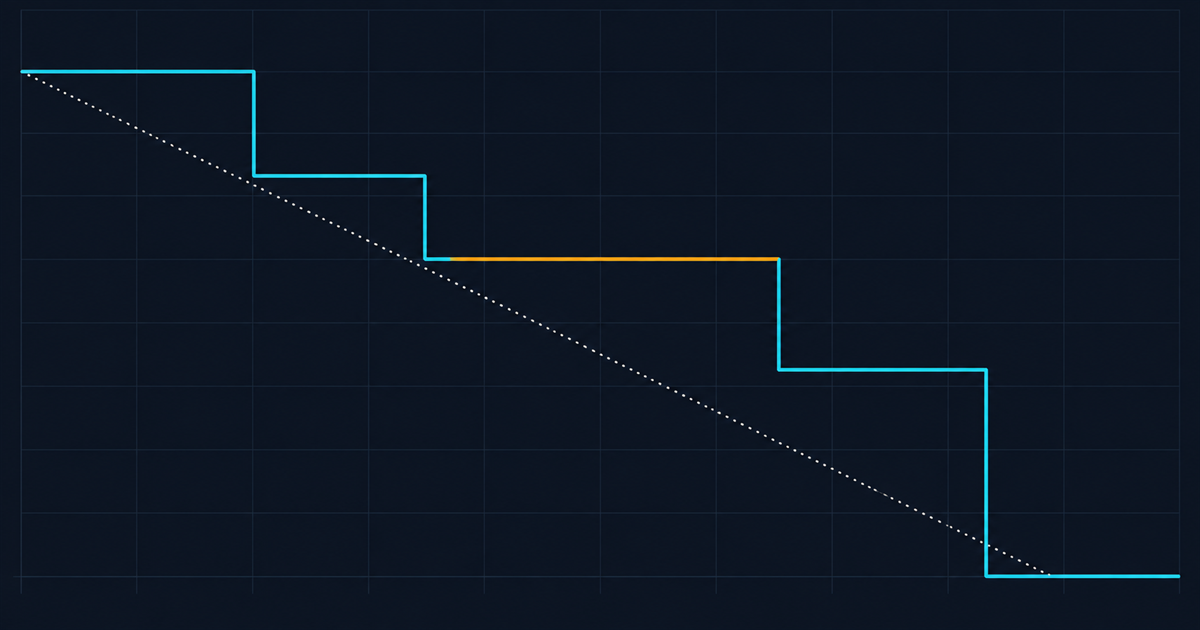
Depends almost entirely on metadata quality, not on volume. Two useful reference shapes:
Well-described library, consistent conventions, good embedded metadata. Six to ten weeks for a few hundred thousand assets, and most of that is validation rather than transfer.
Inconsistent conventions, minimal embedded metadata, context in people’s heads. Four to nine months for the same volume, and the variance is entirely in how much manual cataloguing you accept versus how much you leave undescribed.
The lever is step three. Every asset you decide not to migrate is an asset you do not have to describe, and describing is the expensive part. Teams that migrate everything spend the difference on cataloguing material nobody will search for.
The thing that actually derails it
Not technology. Scope creep dressed as quality improvement.
Halfway through, somebody proposes fixing the taxonomy while we are in here. Then improving the descriptions. Then adding the fields we always wanted. Each is individually reasonable and collectively they turn a migration into a re-cataloguing programme with a migration attached, and the go-live date moves twice.
Migrate to the schema you designed, with the data you have. Improve afterwards, as business as usual, against the metrics in designing a taxonomy people actually use. A live system with adequate metadata beats a perfect one that is still three months out, and the difference in adoption between those two outcomes is enormous.
Before any of this, be sure you have decided what you are migrating away from and why. Why the shared drive stops working covers the diagnosis, headless DAM covers what you need from the target platform’s API to script any of this, and if the destination is still open, alternatives to a traditional enterprise DAM is worth reading before you commit. The foundation is in what enterprise DAM actually is.
Related field note
Continue with DAM maturity models without duplicate files.